Class Notebooks are a powerful tool for supporting online learning through easy resource distribution and teaching material organisation. When new students join a class, you may find that their individual section is missing from the notebook, which can prevent them from accessing lesson content.
This guide explains how to provision new or missing student sections safely and correctly whilst ensuring the content syncs properly. This article will help you quickly get their Class Notebook ready to use.
- Inside your class team, select the Class Notebook Tab.
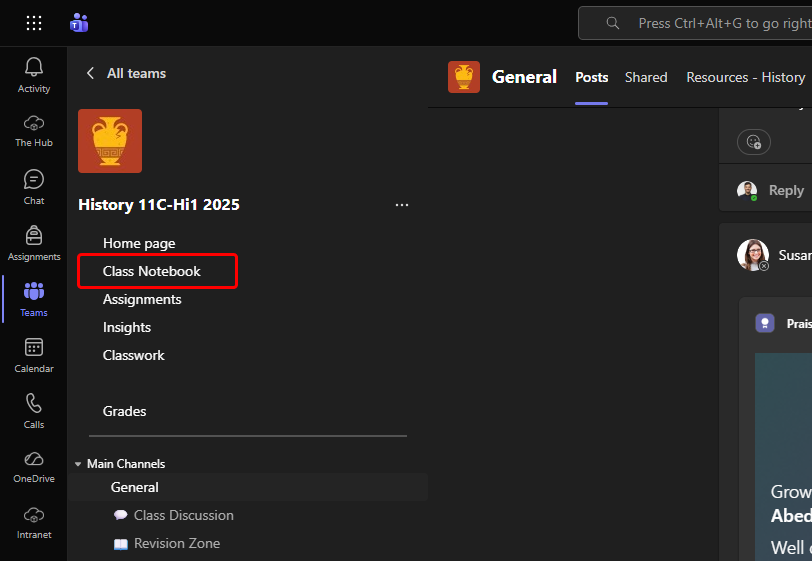
- Click on the Web button in the top right to fully open the notebook.
Fully opening the notebook allows Microsoft to provision the student's section.
- Leave the notebook open for 10-15 Minutes.
- Keep the notebook open without closing the app or navigating away.
- This gives the notebook time to check students and automatically create any missing sections.
- Start a manual sync. After waiting 15 minutes:
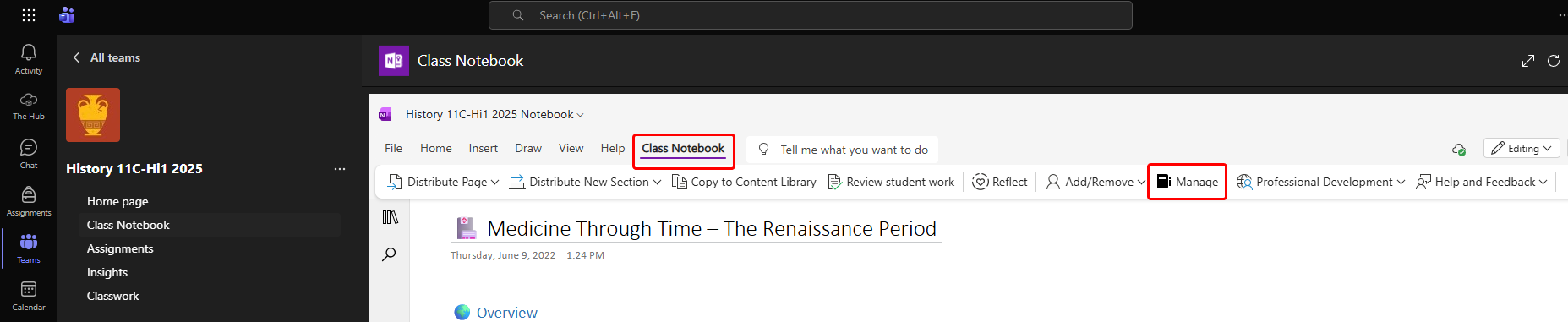
- Go back into Teams and open the class. Then go to Class Notebook > Manage (usually appears next to Add/Remove).
- Click on Sync. This forces OneNote to re-check the notebook membership.
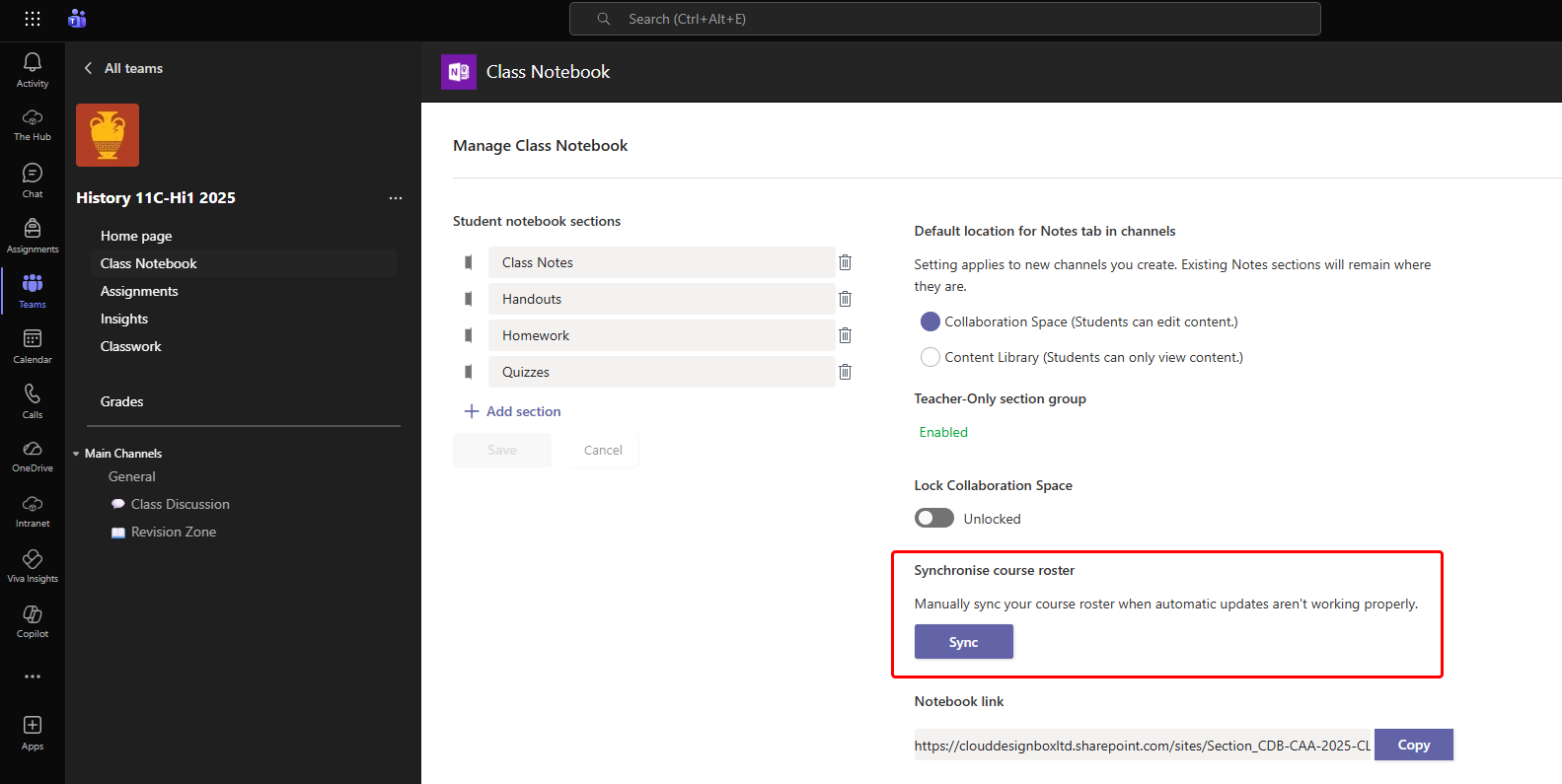
- Go back into Teams and open the class. Then go to Class Notebook > Manage (usually appears next to Add/Remove).
- Refresh the notebook — This should make any new student sections appear.
- On Windows
- Go to File > Info > View Sync Status.
- Select Sync Now.
- On the Web
- Refresh the browser page.
- On Windows
Most missing student sections appear once the Class Notebook has been opened and left for 10-15 minutes to sync. If sections don’t generate automatically, using the Manage Notebook tools or re‑adding the student usually resolves the issue quickly. If problems continue, contact the support team with the class and student details so we can investigate.
Was this article helpful?
That’s Great!
Thank you for your feedback
Sorry! We couldn't be helpful
Thank you for your feedback
Feedback sent
We appreciate your effort and will try to fix the article